
Setting Up a Smart Irrigation System for Your Garden
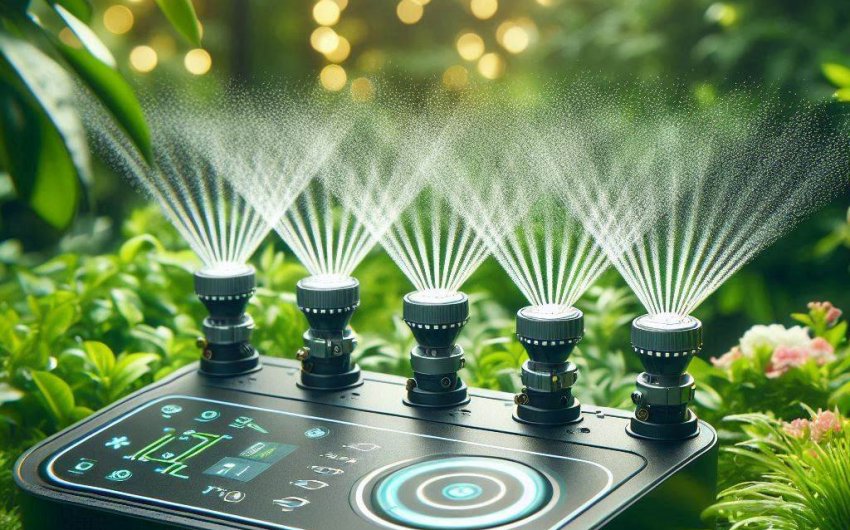
Setting up a smart irrigation system for your garden involves planning your garden zones, choosing the right smart controller, and installing sensors for optimized water use. This upgrade saves water, time, and ensures your plants receive precise hydration based on real-time needs.
Why Should I Consider a Smart Irrigation System for My Garden?
Considering a smart irrigation system for your garden brings a host of benefits that go beyond just automating watering. It represents a significant upgrade from traditional systems, offering efficiency, convenience, and environmental advantages.
Water Conservation
One of the most compelling reasons to install a smart irrigation system is its ability to conserve water. Traditional systems operate on a fixed schedule, often watering whether it's needed or not. A smart system, however, uses data like local weather forecasts, soil moisture levels, and plant type to determine precisely how much water is needed and when. This precision prevents overwatering, reduces runoff, and dramatically lowers your water bill. By not watering when it's raining or when the soil is already moist, you prevent unnecessary waste, contributing to a more sustainable garden.
Cost Savings
Directly related to water conservation are the significant cost savings. Less wasted water means lower utility bills. While the initial investment in setting up a smart irrigation system might seem higher than a basic timer, the long-term savings on water can quickly offset this cost, often within a few seasons. Beyond water savings, preventing overwatering also reduces the risk of plant diseases and pests caused by excessive moisture, potentially saving you money on plant replacements or treatments.
Convenience and Flexibility
Imagine never having to worry about forgetting to water your garden or rushing home to turn off sprinklers during a sudden downpour. A smart irrigation system automates all of this. You can control your watering schedule from anywhere using your smartphone or tablet. Many systems allow you to set different schedules for various zones in your garden, accommodating diverse plant needs. If your plans change, or if there's a weather anomaly, you can easily adjust the watering from a remote location, providing unparalleled convenience.
Healthier Plants
Providing the right amount of water at the right time is critical for plant health. Underwatering causes stress and wilting, while overwatering can lead to root rot, fungal diseases, and nutrient leaching. A smart irrigation system delivers optimal hydration, ensuring your plants receive exactly what they need, promoting stronger root systems, vibrant foliage, and abundant blooms or harvests. The system accounts for factors like evaporation rates and soil type, further tailoring the watering to your garden's specific conditions.
Increased Property Value
An efficiently watered, lush garden enhances curb appeal and can increase your property's overall value. Demonstrating the presence of modern, sustainable technology like a smart irrigation system can be an attractive feature for potential homebuyers, highlighting a commitment to efficiency and smart living. It's an investment that pays off in both immediate utility and long-term asset value.
What Are the Key Components of a Smart Irrigation System?
Understanding the key components of a smart irrigation system is essential before you begin the setup process. Each part plays a crucial role in the system's ability to automate and optimize your garden's watering.
Smart Irrigation Controller (The Brain)
The smart irrigation controller is the central hub of your system, much like the thermostat for your home's HVAC. Unlike traditional controllers, smart versions connect to your home's Wi-Fi network and access real-time data from various sources.
- Weather Intelligence: Many controllers use local weather forecasts (hyper-local weather data from services like AccuWeather or NOAA) to adjust watering schedules. If rain is predicted, it might skip a scheduled watering cycle. If there's a heatwave, it might increase watering.
- App Control: You can manage and monitor your system from a smartphone or tablet app, allowing for remote adjustments, reviewing water usage, and receiving notifications.
- Zone Management: Most controllers support multiple zones, meaning you can set different watering schedules and durations for different areas of your garden based on plant type, sun exposure, and soil conditions.
- Connectivity: They typically connect via Wi-Fi, allowing integration with smart home ecosystems like Amazon Alexa, Google Assistant, or Apple HomeKit.
- Examples: Popular smart controllers include the Rachio 3 Smart Sprinkler Controller, Rain Bird LNK WiFi Module (which upgrades existing Rain Bird controllers), and the Orbit B-hyve Smart Hose Faucet Timer for smaller, hose-based systems.
Soil Moisture Sensors (The Eyes and Ears)
Soil moisture sensors provide direct feedback from your garden's soil, telling the controller exactly how much water is present.
- Real-time Data: These sensors are buried in the soil in different zones and continuously measure moisture levels.
- Water-on-Demand: When the soil moisture drops below a predefined threshold, the sensor signals the controller to initiate watering. Conversely, if the soil is adequately moist, watering is skipped.
- Types: Available in various forms, including resistive, capacitive, and tensiometric sensors. Some are wired, while others are wireless.
- Integration: While some controllers have proprietary sensors, others are compatible with third-party sensors. Not all smart systems require them, as weather-based scheduling can be very effective on its own, but sensors add an extra layer of precision.
- Examples: Look for standalone soil moisture sensors that integrate with your chosen controller, such as those from Irrometer or some offerings directly from controller manufacturers.
Rain Sensors (The Rain Gauge)
A rain sensor is a simple but effective device that detects rainfall and prevents the irrigation system from running during or immediately after a rain event.
- Prevents Overwatering: It acts as a safety switch, ensuring your system doesn't water an already wet garden.
- Types: Some are wired to the controller, while others are wireless. They typically use a disc that absorbs water and expands, activating a switch, or a tipping bucket mechanism.
- Integration: Many smart controllers have ports for rain sensor hookups, or some come with integrated rain sensing capabilities via weather intelligence.
- Examples: Generic wired rain sensors are widely available, or you might opt for a wireless sensor that pairs with your specific controller brand, like the Hunter Rain-Clik or Rain Bird RSD Series Rain Sensor.
Flow Meters (The Water Monitor)
Flow meters measure the amount of water flowing through your irrigation system.
- Leak Detection: They can detect leaks or breaks in your system by monitoring unusual water flow rates, sending alerts to your app.
- Water Usage Tracking: Provides precise data on how much water each zone is consuming, helping you manage and optimize usage.
- Installation: Typically installed in the main line after the backflow preventer.
- Examples: Some advanced smart controllers like Rachio offer integrated flow sensing or compatibility with dedicated flow meters like the Rachio Wireless Flow Meter.
Valves and Sprinkler Heads/Drip Emitters (The Delivery System)
These are the physical components that deliver water to your plants, whether you're building a new system or upgrading an existing one.
- Valves: Electrically controlled valves open and close to direct water flow to specific zones. They are wired to the smart controller.
- Sprinkler Heads: For lawns and larger areas, pop-up spray or rotor heads distribute water over a wider area.
- Drip Emitters: For garden beds, trees, and shrubs, drip irrigation delivers water slowly and directly to the plant's root zone, minimizing evaporation and runoff.
- Considerations: The type of sprinkler head or emitter you choose should be appropriate for your plant type, soil, and garden layout. Compatibility with existing systems is important if upgrading.
By combining these components, a smart irrigation system creates an intelligent and responsive watering solution tailored to your garden's unique needs, ensuring optimal hydration with minimal waste.
How Do I Plan My Garden Zones for Smart Irrigation?
Planning your garden zones for smart irrigation is a critical first step. Proper zoning ensures that different areas of your garden, with their varied water needs, receive the appropriate amount of hydration. This prevents overwatering some plants while underwatering others.
Map Out Your Garden Layout
Start by creating a detailed map of your garden. You can sketch it by hand or use online tools. Include all elements:
- Existing Plants: Note the types of plants (lawn, flowers, shrubs, trees, vegetables).
- Sun Exposure: Mark areas that receive full sun, partial sun, and shade throughout the day.
- Soil Type: Different soil types (sandy, loamy, clay) absorb and retain water differently.
- Slopes and Elevation Changes: Slopes can affect water runoff and absorption.
- Hardscapes: Patios, walkways, and driveways that need to be avoided.
- Water Source Location: Where your main water line connects.
Group Plants with Similar Water Needs
The fundamental principle of zoning is to group plants that have similar watering requirements. This is often based on species and maturity.
- High Water Needs: Vegetables, annual flowers, and newly planted shrubs often require more frequent watering.
- Medium Water Needs: Established perennials, many shrubs, and some turf grasses fall into this category.
- Low Water Needs (Xeriscaping): Drought-tolerant plants, succulents, and native species require very little water once established.
- Turf vs. Beds: Lawns typically need different watering methods and frequencies than garden beds. Avoid mixing sprinklers designed for lawns with drip emitters for delicate flowers in the same zone.
Consider Sun Exposure and Soil Type
Even plants of the same type might have different needs based on environmental factors.
- Sunny Zones: Areas exposed to full sun will dry out faster and need more frequent watering than shady areas.
- Shady Zones: Plants in the shade often require less water due to reduced evaporation.
- Soil Variation: If you have distinct areas with different soil types (e.g., a sandy patch and a clay patch), they might benefit from separate zones. Sandy soil drains quickly and needs more frequent, shorter watering, while clay soil absorbs slowly and needs longer, less frequent watering.
Determine Irrigation Methods for Each Zone
Once you've grouped your plants and considered their environments, decide on the best irrigation method for each zone.
- Sprinkler Zones: Ideal for large, uniform areas like lawns. Choose appropriate sprinkler heads (rotor, spray, bubbler) based on the area's size and shape.
- Drip Zones: Best for garden beds, individual shrubs, trees, and vegetable patches. Drip irrigation delivers water directly to the root zone, minimizing waste and preventing foliage diseases.
- Hose Faucet Zones: For small, isolated areas or container gardens, a smart hose faucet timer can create a separate zone without extensive plumbing.
Calculate Water Pressure and Flow Rate
Before finalizing your zones, you need to understand your available water pressure and flow rate. This dictates how many sprinkler heads or emitters you can run effectively on a single zone.
- Pressure (PSI): Use a water pressure gauge to measure your static water pressure directly from an outdoor faucet.
- Flow Rate (GPM - Gallons Per Minute): Use a 5-gallon bucket and a stopwatch. Turn on the faucet fully and time how long it takes to fill the bucket. Divide 5 by that time in minutes to get GPM.
- System Design: Consult the specifications of your chosen sprinkler heads or drip emitters. Each has a recommended operating pressure and GPM. Your total GPM for a single zone should not exceed your available GPM.
By carefully planning your zones based on these factors, you'll create an efficient and effective smart irrigation system that caters to the diverse needs of your garden, promoting healthy plant growth and maximizing water savings.
What Smart Irrigation System Controllers Are Available?
When setting up a smart irrigation system for your garden, the choice of controller is paramount. These devices are the brain of your system, connecting to your Wi-Fi and making intelligent watering decisions. Here are some of the most popular and highly-rated smart irrigation controllers available, catering to different needs and budgets.
Top Smart Irrigation Controllers
| Controller Name | Key Features | Ideal For | Approximate Price Range |
|---|---|---|---|
| Rachio 3 Smart Sprinkler Controller | Weather intelligence (predictive watering), HomeKit/Alexa/Google Assistant integration, Flex Daily scheduling, Wireless Flow Meter compatibility, Seasonal adjustments. | Homeowners seeking advanced features, precision, and smart home integration. | $$$ |
| Orbit B-hyve XR Smart Sprinkler Timer | Built-in Wi-Fi, local weather forecasts, multi-zone control, indoor/outdoor mounting, works with Alexa/Google Assistant, good value. | Budget-conscious homeowners who still want robust smart features. | $$ |
| Rain Bird ESP-ME3 with LNK WiFi Module | Modular design (expandable zones), contractor-grade reliability, app control via LNK WiFi module, weather intelligence. | Larger gardens, professional installations, or those wanting to upgrade existing Rain Bird systems. | $$$ |
| Hunter Hydrawise | Professional-grade, hyper-local weather adjustments, predictive watering, flow monitoring, remote management, wide range of sensor compatibility. | Large properties, commercial applications, or serious gardeners wanting top-tier control. | $$$$ |
| Eve Aqua Smart Water Controller | Bluetooth/Thread connectivity (HomeKit only), ideal for hose-fed systems, no subscription, simple app control. | Small gardens, container gardens, or those with existing Apple HomeKit ecosystems. | $ |
Rachio 3 Smart Sprinkler Controller
The Rachio 3 Smart Sprinkler Controller is often considered one of the leading smart irrigation controllers. It boasts exceptional weather intelligence, drawing data from thousands of weather stations to skip unnecessary watering. Its "Flex Daily" schedule automatically adjusts watering times based on plant type, soil, sun exposure, and current weather, ensuring optimal hydration. It integrates seamlessly with popular smart home platforms like Apple HomeKit, Amazon Alexa, and Google Assistant. Rachio also offers compatibility with a wireless flow meter for advanced leak detection and water usage tracking. It comes in 8-zone and 16-zone versions.
Orbit B-hyve XR Smart Sprinkler Timer
The Orbit B-hyve XR Smart Sprinkler Timer provides an excellent balance of features and affordability. It offers Wi-Fi connectivity, allowing control via a user-friendly app. Like Rachio, it uses local weather data to adjust schedules automatically. The XR version is designed for both indoor and outdoor installation, with a durable weather-resistant case. It's compatible with Amazon Alexa and Google Assistant, making it a solid choice for many homes looking to upgrade to a smart irrigation system without breaking the bank. Orbit also makes the Orbit B-hyve Smart Hose Faucet Timer for simpler, hose-based setups.
Rain Bird ESP-ME3 with LNK WiFi Module
For those with existing Rain Bird systems or who prefer a more professional-grade, modular approach, the Rain Bird ESP-ME3 with LNK WiFi Module is a great option. The ESP-ME3 controller itself is highly reliable and expandable, allowing you to add more zones as your garden grows. The separate LNK WiFi Module plugs in to provide smart functionality, including app control and weather-based watering. This setup offers flexibility and the trusted reliability of a long-standing irrigation brand.
Hunter Hydrawise
Hunter is another well-respected name in irrigation, and their Hydrawise system offers advanced features for precise watering. Hunter Hydrawise controllers leverage hyper-local weather stations, flow sensors, and comprehensive reporting to provide incredibly efficient water management. It's a robust solution often favored by irrigation professionals due to its reliability and in-depth control, making it suitable for larger or more complex landscapes.
Eve Aqua Smart Water Controller
If you're looking for a simpler, hose-based smart irrigation solution or want to integrate with your Apple HomeKit ecosystem, the Eve Aqua Smart Water Controller is an excellent choice. It attaches directly to your outdoor faucet and allows you to schedule watering and control it via the Eve app or Apple Home app using Bluetooth or Thread. It's perfect for container gardens, raised beds, or small lawn areas that don't require a full in-ground system.
When selecting a controller, consider the size of your garden (number of zones), your budget, your existing smart home ecosystem, and how much control and data you desire. Reading user reviews and comparing specific features will help you choose the best smart irrigation system controller for your garden.
How Do I Install a Smart Irrigation System Controller?
Installing a smart irrigation system controller is a relatively straightforward process, especially if you're replacing an existing traditional controller. While the exact steps might vary slightly depending on your chosen model, the general procedure involves mounting the unit, wiring the zones, and connecting to your home's Wi-Fi.
Step-by-Step Installation Guide
1. Gather Your Tools
Before you begin, ensure you have the necessary tools:
- Screwdriver (Phillips and/or flathead)
- Wire strippers
- Drill (if mounting on a new location)
- Pencil
- Tape measure (optional)
- New smart controller
- Optional: Wire labels or masking tape
2. Disconnect and Remove Old Controller (If Applicable)
If you're replacing an old controller, start by safely disconnecting it:
- Power Off: Unplug the old controller from its power source or turn off the circuit breaker that supplies power to it.
- Photograph Wiring: Take clear photos of the existing wiring. This is crucial for correctly connecting the zones to your new smart controller. Label each wire if your old controller isn't clearly marked.
- Disconnect Wires: Carefully disconnect the wires from the old controller's terminals. These typically include:
- Common Wire: Usually a white wire, often labeled "C" or "COM." This is essential for the system to work.
- Zone Wires: Wires for each irrigation zone (e.g., Zone 1, Zone 2, etc.), often different colors.
- Master Valve/Pump Start Relay Wire (Optional): If your system has one, it will be labeled "MV" or "P/MV."
- Sensor Wires (Optional): If you have a rain sensor or soil moisture sensor, these wires will also be connected.
- Remove Old Unit: Unscrew and remove the old controller from the wall.
3. Mount the New Smart Controller
Choose a suitable location for your new controller. It should be:
- Protected: Away from direct sunlight, extreme temperatures, and moisture. Many smart controllers are rated for outdoor use, but a sheltered spot like a garage or covered patio is ideal.
- Close to Power: Within reach of a power outlet.
- Good Wi-Fi Signal: Ensure the location has a strong Wi-Fi signal from your home router. You can test this with your smartphone.
- Drill and Mount: Use the new controller as a template, mark the screw holes on the wall, drill pilot holes if necessary, and securely mount the controller using the provided screws.
4. Wire the New Controller
Refer to the photos you took of your old wiring and the new controller's wiring diagram.
- Common Wire: Connect the common wire (usually white) to the "C" or "COM" terminal on your new smart controller. This wire must be correctly connected for any zone to operate.
- Zone Wires: Connect each individual zone wire to its corresponding numbered terminal (e.g., Zone 1 to Terminal 1, Zone 2 to Terminal 2). If you labeled them, this step is much easier.
- Master Valve/Pump Start Relay (if applicable): Connect this wire to the "MV" or "P/MV" terminal.
- Sensor Wires (if applicable): Connect your rain sensor or soil moisture sensor wires to the designated sensor terminals. Many smart controllers can auto-detect the sensor type. Ensure jumpers or bypass switches are correctly set if you don't use a sensor.
- Secure Connections: Ensure all wires are securely seated in their terminals.
5. Connect to Power
Once all wires are connected, plug the smart controller into its power outlet. Most smart controllers come with a power adapter. The controller should power on, and you'll typically see indicator lights.
6. Connect to Wi-Fi and Configure the App
This is where the "smart" part comes in.
- Download App: Download the manufacturer's dedicated app (e.g., Rachio, Orbit B-hyve, Rain Bird).
- Create Account: Follow the in-app instructions to create an account and register your device.
- Wi-Fi Connection: The app will guide you through connecting your controller to your home's Wi-Fi network. This usually involves selecting your network and entering your password. Ensure your phone is connected to a 2.4 GHz Wi-Fi network if your router supports both 2.4 GHz and 5 GHz, as many smart devices prefer 2.4 GHz.
- Zone Configuration: Once connected, the app will prompt you to configure each zone. This is where you input details like:
- Plant Type: Lawn, shrubs, flowers, vegetables.
- Soil Type: Clay, loam, sand.
- Sun Exposure: Full sun, partial sun, shade.
- Sprinkler Type: Rotor, spray head, drip.
- Slope: Flat, slight slope, steep slope.
- Scheduling: Set up your initial watering schedules. Most smart controllers offer "smart" or "flex" schedules that automatically adjust based on weather and other factors, or you can create fixed schedules.
7. Test the System
After configuration, thoroughly test your smart irrigation system:
- Manual Run: Use the app to manually run each zone one by one. Check that the correct zone turns on and that water distribution is even.
- Check for Leaks: Look for any leaks in your sprinkler heads or drip lines.
- Sensor Test: If you installed a rain sensor, briefly wet it to ensure it triggers the system to pause or skip watering.
By following these steps, you can successfully install your smart irrigation system controller and begin enjoying the benefits of automated, efficient garden watering.
What Are the Best Practices for Using a Smart Irrigation System?
Once your smart irrigation system is installed and running, implementing best practices will maximize its efficiency, ensure optimal plant health, and prolong the life of your system. It's about more than just setting it and forgetting it; it's about fine-tuning and ongoing maintenance.
1. Optimize Your Zone Settings
The initial setup of your zones in the controller app is crucial, but continuous optimization is key.
- Accurate Plant & Soil Data: Double-check that you've correctly identified the plant type, soil type, sun exposure, and sprinkler head type for each zone. These parameters significantly influence the smart controller's watering calculations. For example, sandy soil needs more frequent, shorter watering cycles than clay soil.
- Refine Schedules: While smart schedules (like Rachio's "Flex Daily") are powerful, monitor your plants. If you notice signs of stress (wilting, yellowing, or fungal growth), adjust the zone settings or custom schedules in the app. You might need to slightly increase or decrease water applied based on your specific microclimate.
- Seasonal Adjustments: Most smart controllers have seasonal adjustment features, but manually review them at the start of each growing season. As temperatures rise or fall, or as plants mature, their water needs change.
2. Regularly Inspect Your Irrigation System
Even a smart system needs physical checks to ensure water is being delivered effectively.
- Check Sprinkler Heads: At least once a month, run each sprinkler zone manually during daylight hours. Look for:
- Clogged Nozzles: Clean out any debris.
- Broken Heads: Replace any damaged or leaking heads.
- Misaligned Sprays: Adjust the spray pattern to ensure water is hitting only your plants and not sidewalks, driveways, or fences.
- Inspect Drip Lines: For drip irrigation zones, check for:
- Clogs: Clean or replace clogged emitters.
- Leaks: Repair any breaks or drips in the tubing.
- Displaced Emitters: Ensure emitters are still positioned near the plant's root zone.
- Look for Dry Spots/Overly Wet Spots: These indicate an issue with coverage, pressure, or a need to adjust zone settings.
3. Monitor Your Water Usage Data
Most smart irrigation apps provide detailed reports on water usage.
- Review Reports: Regularly check your app's water usage reports. Compare current usage to previous periods or projected savings.
- Identify Trends: Look for unexpected spikes in water use, which could indicate a leak, or unusually low usage, which might mean a sensor is malfunctioning or a zone is not running when it should.
- Set Budgets: Many controllers allow you to set monthly water budgets. Use this feature to stay on track with your conservation goals.
4. Leverage Sensors (Rain, Soil Moisture, Flow)
If you've installed sensors, ensure they are functioning correctly and are optimally placed.
- Rain Sensor Testing: Periodically test your rain sensor by gently wetting it to ensure it triggers a halt in watering.
- Soil Moisture Sensor Calibration: Some soil moisture sensors require initial calibration. Ensure they are placed in representative areas within their respective zones, ideally near plants with average water needs for that zone.
- Flow Meter Alerts: Pay attention to alerts from your flow meter. These are invaluable for early leak detection.
5. Be Mindful of Weather Intelligence Overrides
Smart controllers use weather data to skip watering cycles.
- Trust the System (Mostly): Allow the system to make its own decisions based on weather. This is where significant water savings come from.
- Manual Overrides (Sparingly): Only manually override a skipped cycle if you observe genuine signs of plant stress despite the weather forecast. Sometimes hyper-local weather can vary.
- Rain Delay: Use the rain delay feature if you know there will be significant rainfall not yet reflected in the forecast, or if you've recently installed new plants that need a special, temporary watering schedule.
6. Consider Winterization (If Applicable)
In regions with freezing temperatures, properly winterizing your smart irrigation system is crucial to prevent damage.
- Blow Out Lines: Use an air compressor to blow all water out of your irrigation lines.
- Drain Backflow Preventer: Drain any water from your backflow prevention device.
- Controller Settings: Turn off the controller or set it to "rain delay" or "off" for the winter months. Disconnect sensors if recommended by the manufacturer.
7. Stay Updated with Software and Firmware
Smart controllers receive software and firmware updates.
- Enable Auto-Updates: Allow your controller to update automatically if the option is available. These updates often include bug fixes, new features, and improved weather intelligence algorithms.
- Check for Notifications: Keep an eye on app notifications for important system alerts or updates.
By following these best practices, you'll ensure your smart irrigation system operates at peak performance, providing your garden with precise, efficient watering while maximizing your water and cost savings. This ongoing attention will keep your garden healthy and your smart system truly intelligent.