
The Best Gardening Apps to Track Your Progress
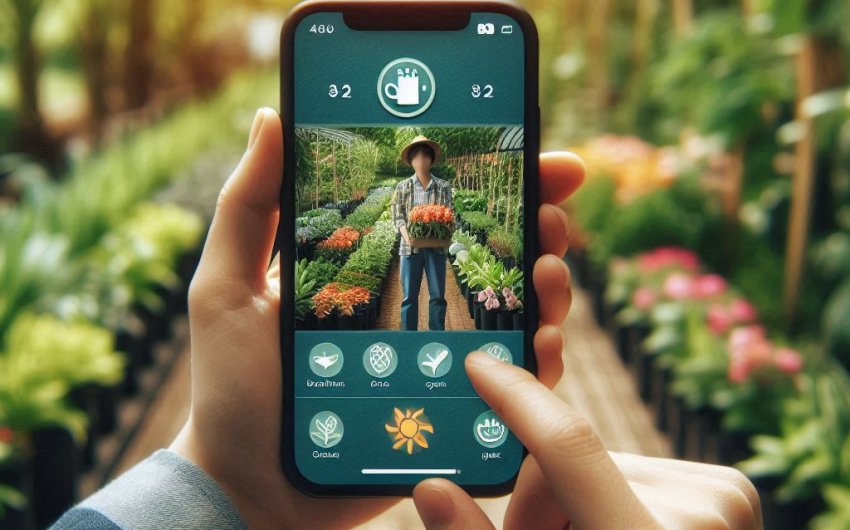
Why Use a Gardening App for Your Plants?
Do you ever find yourself staring at your plants, wondering: "When did I plant those tomatoes?" or "Is that yellow leaf a sign of too much water or not enough?" Maybe you're trying to remember which fertilizer worked best last year, or which variety of lettuce actually thrived in your garden. If so, you're not alone! Keeping track of everything in a garden, especially as it grows, can be a real challenge.
That's where gardening apps come in! Think of a gardening app as your digital garden journal, personal assistant, and plant encyclopedia, all rolled into one convenient place: your phone. In today's tech-savvy world, these apps offer incredible tools to help you become a more organized, efficient, and successful gardener.
Why bother with an app when you could just use a pen and paper? Well, here are some fantastic reasons why a gardening app can transform your gardening journey:
- Stay Organized and On Schedule: No more missed watering days or forgotten fertilizing. Many apps allow you to set reminders for tasks like watering, fertilizing, pruning, and harvesting. They can even help you plan your planting schedule based on your local climate. This takes the guesswork out of garden maintenance.
- Track Your Progress (and Learn from It!): This is a huge one! Apps allow you to log planting dates, observe growth, record harvests, and even add photos over time. This visual history is invaluable. Did that new squash variety grow well? Did the organic pesticide actually work? Your app will have the answers, helping you make smarter decisions next season. This is key for garden planning.
- Identify Pests and Diseases: Many apps include built-in databases or even AI-powered tools that can help you identify common plant diseases and garden pests just by taking a picture. This quick identification is crucial for early intervention, often saving your plants from serious damage.
- Access Plant Information Instantly: Need to know how much sun your new basil plant needs? Or the ideal soil pH for blueberries? Most apps have extensive plant libraries with care guides, growing requirements, and troubleshooting tips at your fingertips.
- Visualize Your Garden Layout: Some advanced apps let you design your garden space virtually, helping you plan where to plant each crop for optimal growth and companion planting benefits. This is a game-changer for garden design.
- Weather Integration: Many apps can connect to local weather data, providing forecasts that help you decide when to water, cover sensitive plants, or harvest before a storm.
- Community and Sharing: Some apps have social features, allowing you to connect with other gardeners, share tips, and celebrate successes.
Whether you're a seasoned pro or just starting your first herb garden, a gardening app can simplify your tasks, deepen your knowledge, and ultimately lead to a more joyful and productive gardening experience. Let's explore some of the best ones out there!
What Features Should I Look For in a Gardening App?
With so many gardening apps available, it can feel a bit overwhelming to choose the right one. To help you narrow it down, let's look at the most useful features that can truly elevate your gardening game. Think about what kind of gardener you are and what your biggest challenges are when picking your perfect app.
1. Plant Identification
This is often one of the most exciting features for new and experienced gardeners alike.
- Photo Recognition: The app uses AI (Artificial Intelligence) to identify plants, pests, or diseases from a picture you take with your phone. This can be a lifesaver when you spot a strange bug or a mysterious leaf spot.
- Database Search: A comprehensive database of plants with pictures and descriptions, allowing you to search by name or characteristics.
- Why it's important: Quick identification means faster solutions for pest control or plant disease management, and helps you learn about new plants you encounter.
2. Garden Planning and Layout
For those who want to optimize their space and practice techniques like companion planting.
- Virtual Garden Map: A tool to design your garden beds, raised beds, or containers. You can drag and drop different plants into your virtual space.
- Spacing Guides: The app advises on correct plant spacing to avoid overcrowding.
- Sunlight Mapping: Some advanced apps can even help you understand sun exposure in different parts of your garden throughout the day/season.
- Why it's important: Helps you maximize yields, practice succession planting, and integrate garden design principles before you even put a shovel in the ground.
3. Task Management and Reminders
This feature is a game-changer for staying on top of your garden maintenance.
- Customizable Reminders: Set alarms for watering, fertilizing, pruning, pest checks, or harvesting.
- Task Lists: Create and manage a list of "to-do" items for your garden.
- Automated Scheduling: Some apps can suggest tasks based on plant type and local weather.
- Why it's important: Prevents forgotten tasks, reduces plant stress from neglect, and ensures you're consistently giving your plants the care they need for healthy growth.
4. Plant Care Guides and Information
Your personal plant encyclopedia on the go.
- Extensive Plant Library: Detailed information on hundreds or thousands of plants, including their scientific and common names.
- Growing Requirements: Information on ideal sun exposure, soil type, pH, watering needs, and temperature ranges for each plant.
- Pest and Disease Troubleshooting: Guides on how to identify and treat common problems.
- Why it's important: Provides immediate answers to your gardening questions, helps you understand your plants better, and supports informed decision-making for plant health.
5. Progress Tracking and Journaling
Documenting your gardening journey is incredibly rewarding and insightful.
- Photo Log: Upload photos of your plants over time to track growth, identify changes, and document problems.
- Notes Section: Add custom notes for each plant or garden area – observations, experiments, lessons learned.
- Harvest Log: Record what you harvested, when, and how much. This helps you track productivity and plan for future seasons.
- Why it's important: Builds a valuable historical record of your garden, allowing you to learn from past successes and failures, and celebrate your gardening progress.
6. Localized Data
Gardening is very location-specific.
- Local Weather Forecast: Current and upcoming weather to help with watering and protection.
- Frost Dates/Growing Zones: Information specific to your USDA Hardiness Zone or local climate.
- Why it's important: Provides relevant advice tailored to your specific outdoor conditions, improving the accuracy of planting and care recommendations.
7. Community and Social Features (Optional)
For gardeners who enjoy connecting with others.
- Forums/Feeds: Share your gardening experiences, ask questions, and offer advice to other app users.
- Direct Messaging: Connect with friends or mentors.
- Why it's important: Provides support, inspiration, and a sense of belonging within the gardening community.
When reviewing apps, check if they are free, have a one-time purchase, or offer a subscription. Many offer a free basic version with optional paid upgrades. Choose the app that offers the features most important to your unique gardening style and needs.
The Top Gardening Apps for Tracking Your Progress
Alright, let's get to the good stuff! Based on user reviews, features, and overall usefulness, here are some of the leading gardening apps that can help you track your progress and manage your garden more effectively.
1. PictureThis (Plant Identifier)
- Key Features:
- Powerful Plant Identification: Their standout feature. Take a photo, and it identifies the plant (or disease/pest) almost instantly with impressive accuracy.
- Disease Diagnosis: Can identify plant diseases and offer treatment suggestions.
- Pest Recognition: Helps identify common garden pests.
- Extensive Plant Library: Contains vast amounts of information on thousands of plants, including care guides, facts, and cultivation tips.
- "My Plants" Section: Allows you to save identified plants to a personal collection for easy reference.
- Pros: Incredibly fast and accurate identification, great for troubleshooting problems on the spot. User-friendly interface.
- Cons: Primarily focused on identification, less on comprehensive garden planning and task management. It's a subscription-based app for full features, though often offers a trial.
- Best For: Gardeners who frequently need to identify unknown plants, diagnose issues, or learn more about specific plants they encounter. It's like having a botanist in your pocket.
2. GrowVeg (Garden Planner & Organizer)
- Key Features:
- Interactive Garden Planner: This is its main strength. Design your garden layout visually on a grid, adding beds, paths, and different crops.
- Crop Rotation Tool: Helps plan crop rotation to maintain soil health and prevent disease buildup.
- Companion Planting Advisor: Suggests beneficial pairings for your plants.
- Personalized Planting Calendar: Based on your location (USDA zone), it tells you when to sow, plant, and harvest each crop.
- Planting Reminders: Can send notifications for tasks.
- Progress Tracking: Log notes and photos for each plant.
- Pros: Highly detailed and visual garden planning, excellent for optimizing space and practicing smart garden design. Very comprehensive for overall garden management.
- Cons: Requires a paid subscription. The interface can be a bit more complex initially due to its depth of features.
- Best For: Serious gardeners, those with larger gardens (in-ground or raised beds), who want to meticulously plan layouts, track rotations, and manage their entire growing season. It's not just an app, it's a comprehensive garden planning software.
3. Gardenia (Task Management & Plant Care)
- Key Features:
- Plant Collection Management: Add all your plants (indoor and outdoor) to your personalized library.
- Smart Reminders: Automatically suggests watering, fertilizing, and pruning schedules based on plant type and location. Customizable reminders for specific tasks.
- Detailed Plant Information: Access care guides for hundreds of plants.
- Photo Journal: Track plant growth with photos and notes.
- Wishlist: Keep track of plants you want to grow.
- Pros: Excellent for task management and ensuring your plants get the right care on time. User-friendly and aesthetically pleasing. Free basic version, with paid premium features.
- Cons: Less emphasis on garden layout design or advanced pest/disease identification compared to some others.
- Best For: Busy gardeners, houseplant enthusiasts, or anyone who needs help staying on schedule with plant care and wants a simple, effective digital garden journal.
4. Planta (Houseplant Care Focus)
- Key Features:
- Smart Care Reminders: Based on plant type, light conditions, and pot size, it suggests watering, fertilizing, misting, and cleaning schedules.
- Plant Identification: Uses photo recognition for identification.
- Light Meter: Uses your phone's camera to measure light levels in your room and recommends plants that would thrive there.
- Disease ID & Treatment: Helps diagnose problems and offers solutions.
- Progress Photos: Track how your plants are doing over time.
- Pros: Highly specialized for houseplant care, making it extremely effective for indoor gardeners. The light meter is a unique and very useful feature. Beautiful interface.
- Cons: Primarily focused on indoor plants, so less useful for outdoor garden planning. Full features require a subscription.
- Best For: Anyone with a growing collection of indoor plants who wants personalized care schedules and troubleshooting help to keep them thriving.
5. From Seed to Spoon (Organic Vegetable Gardening)
- Key Features:
- Comprehensive Vegetable Database: Information on a wide range of vegetables.
- Companion Planting Guide: Shows good and bad plant pairings.
- Pest and Disease Solutions: Focuses on organic pest control and natural remedies.
- Local Planting Dates: Provides personalized planting dates based on your location and frost dates.
- Nutrient Information: Shows the nutritional benefits of each vegetable.
- Pros: Excellent resource for organic vegetable gardeners, with a strong emphasis on natural solutions and healthy eating. Easy to use. Free with optional pro upgrade.
- Cons: More focused on vegetables and organic methods, so less comprehensive for ornamentals or general houseplant care. No garden layout tool.
- Best For: Home gardeners focused on growing organic vegetables, who need guidance on planting times, companion planting, and natural pest solutions.
When choosing, consider trying the free versions or trials first to see which app's interface and features best fit your personal gardening style. A good app can truly become your best gardening assistant!